
Finding and downloading the DUET Driver app is easy. Here we will teach you where to download the app and how to log in with your phone number.
Audio unavailable. Please try again later.
You can use the download links below to download and install the app.


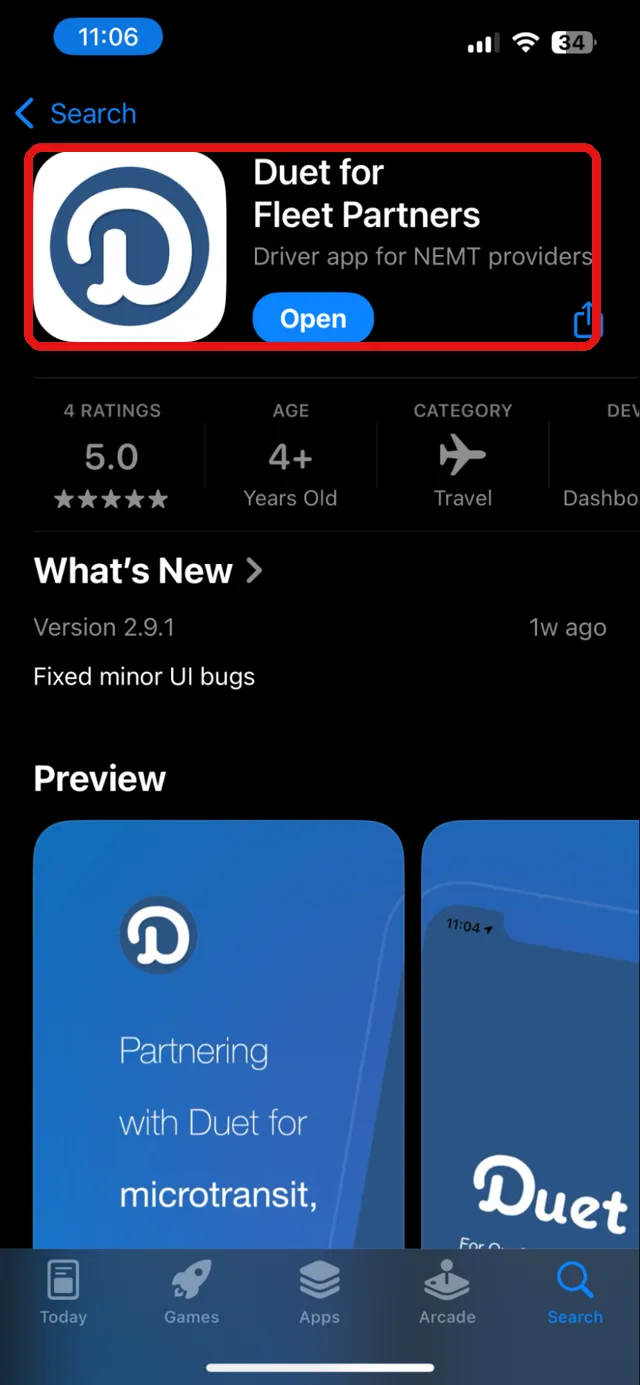
Alternatively, you can go to the iPhone App Store or the Android Play Store and search “Duet for Fleet Partners”. Look for the Duet driver app icon in the screenshot.
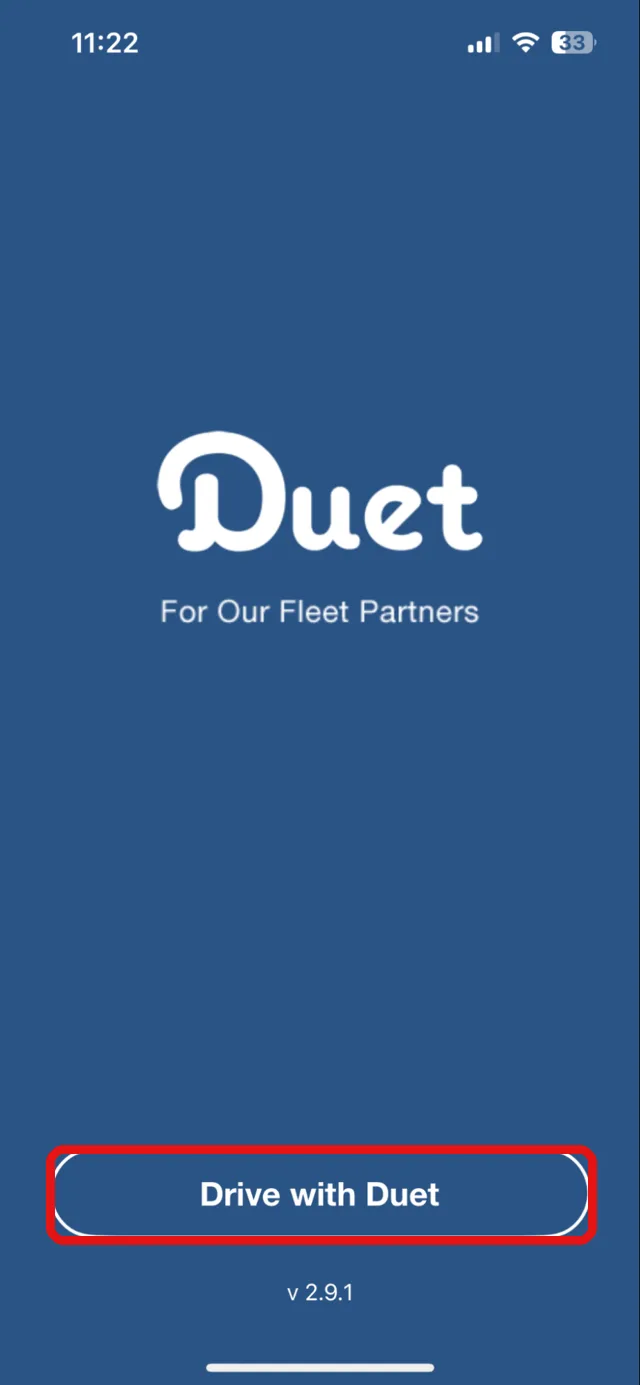
After you download the app, open it. You will be taken to the landing screen.
At the bottom, tap the “Drive with Duet” button.
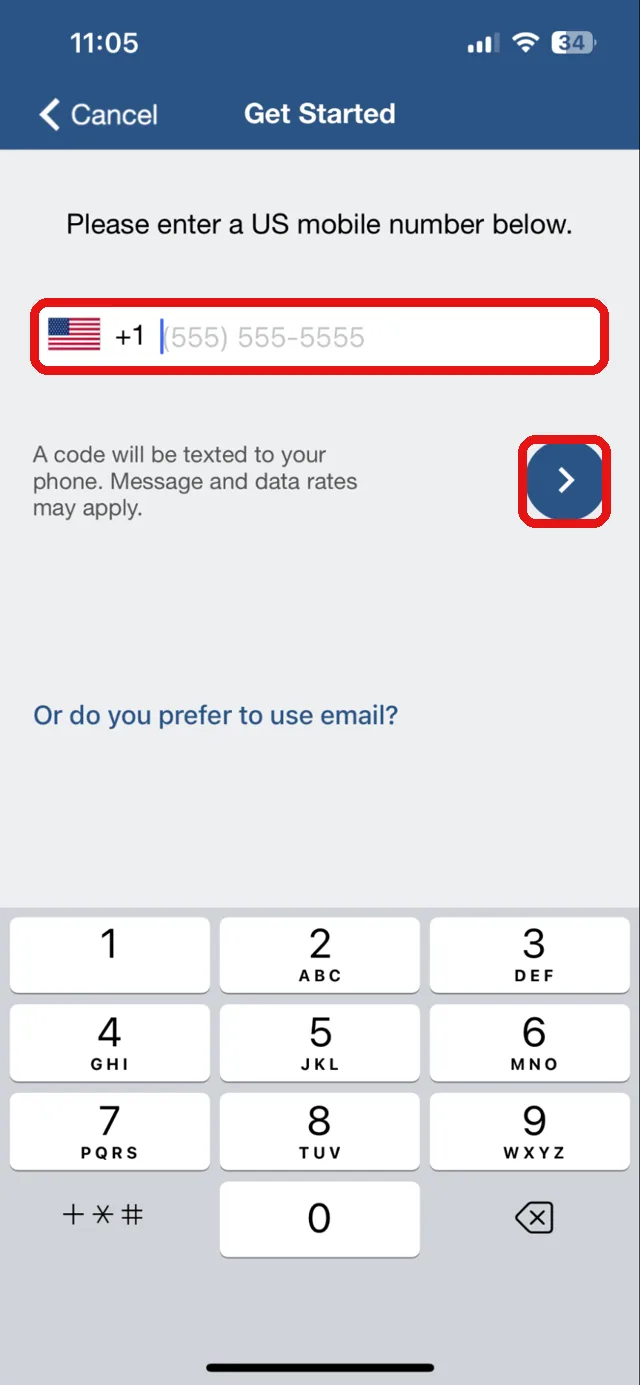
Enter your mobile phone number and tap the arrow. A 6-digit code is sent to your number.
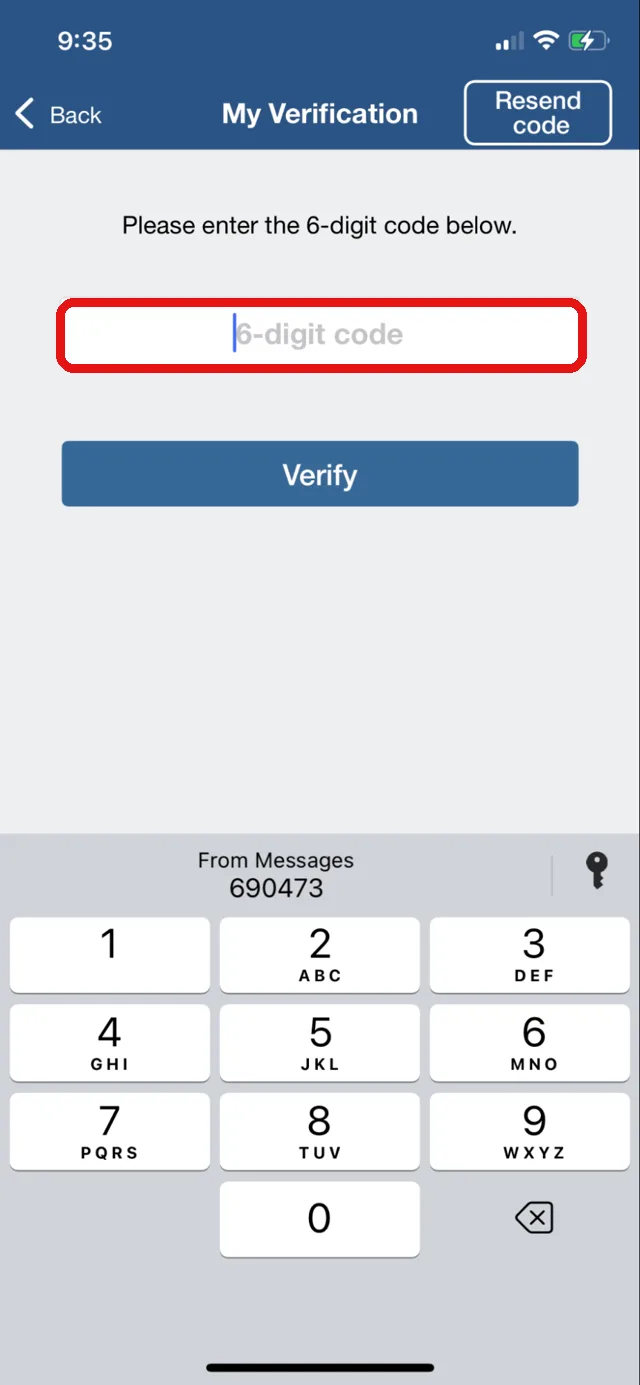
Enter the code on the next screen to log in to your Duet Driver account.
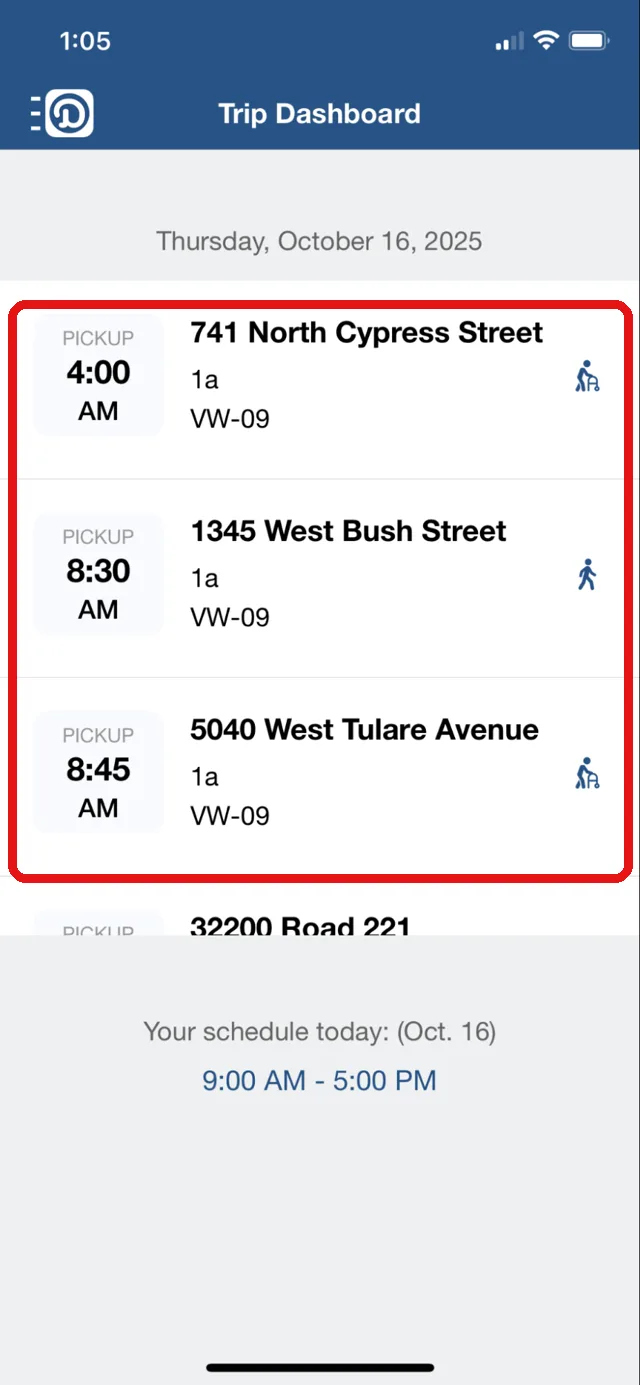
After logging in to the app, you will see the home screen, the Trip Dashboard.
On the Trip Dashboard, you can see today’s trips that are assigned to you.
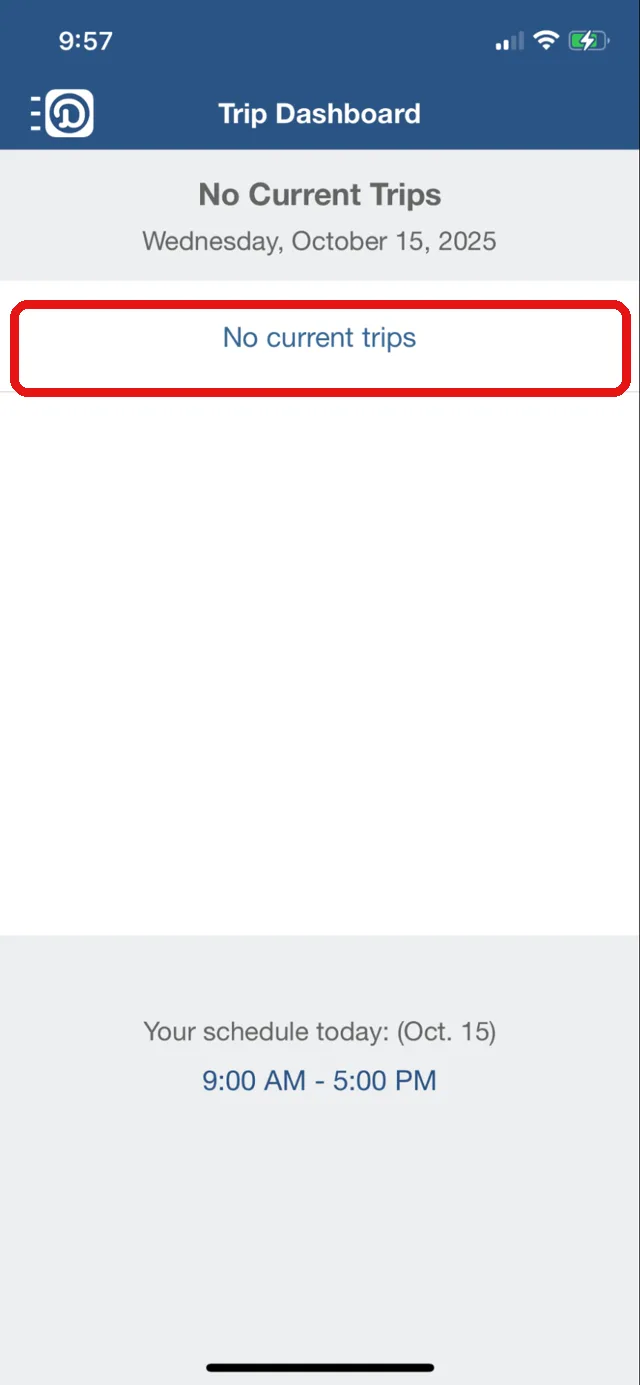
If you’re not assigned any trips today, you will see a blank screen.
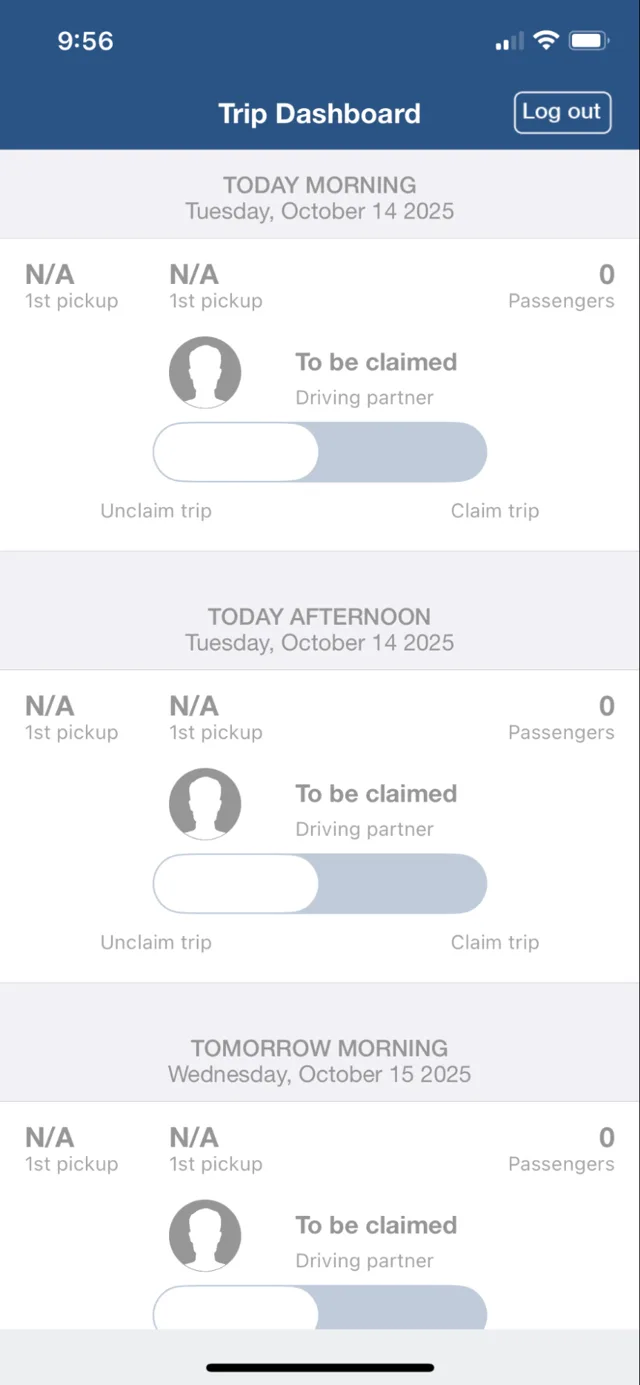
After logging in, if you see a screen similar to the one shown, it means you don’t have permission to access the trips. Your dispatcher needs to grant you access to the account. Ask your dispatcher for it.
Encontrar y descargar la aplicación DUET Driver es fácil. Aquí te enseñaremos dónde descargar la aplicación y cómo iniciar sesión con tu número de teléfono.
Audio no disponible. Inténtalo de nuevo más tarde.
Puedes usar los enlaces de descarga a continuación para descargar e instalar la aplicación.
Alternativamente, puedes ir a la App Store de iPhone o a la Play Store de Android y buscar “Duet for Fleet Partners”. Busca el ícono de la aplicación Duet Driver en la captura de pantalla.
Después de descargar la aplicación, ábrela. Verás la pantalla de bienvenida.
En la parte inferior, toca el botón “Drive with Duet”.
Ingresa tu número de teléfono móvil y toca la flecha. Se enviará un código de 6 dígitos a tu número.
Ingresa el código en la siguiente pantalla para iniciar sesión en tu cuenta de Duet Driver.
Después de iniciar sesión en la aplicación, verás la pantalla de inicio, el Trip Dashboard.
En el Trip Dashboard, puedes ver los viajes asignados para hoy.
Si no tienes ningún viaje asignado hoy, verás una pantalla en blanco.
Después de iniciar sesión, si ves una pantalla similar a la que se muestra, significa que no tienes permiso para acceder a los viajes. Tu despachador necesita darte acceso a la cuenta. Pídele que te lo conceda.